This was done nearly a year ago, but I didn’t have this website then, so I’m just quickly rewriting my process over here. This whole project took roughly 30 minutes (5 minutes programming, 25 minutes on reading up how Applescript works.)
For my daily keyboard, I use the Microsoft Ergonomic Keyboard 4000: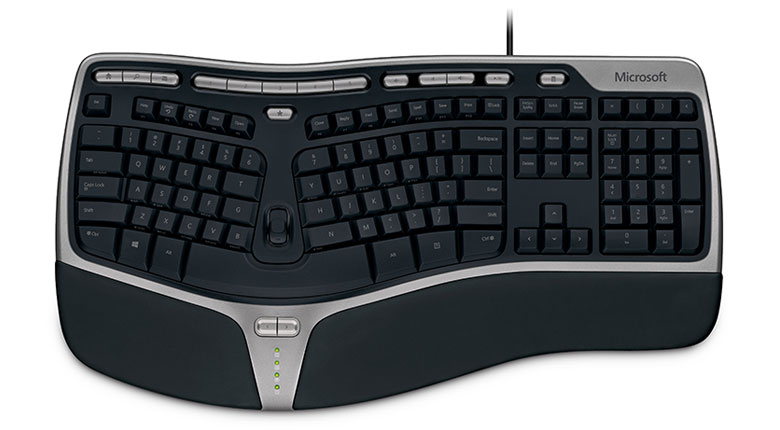
I like this keyboard in particular due to its shape: it enables me to type faster and more accurately for longer periods of time. However, the default hotkeys on the top are only meant to work with iTunes, and I use Spotify. I decided to change this by making three small Applescript programs to control my next track, previous track, and pause/play functions in Spotify.
The code for the following three is below:
Spotify Previous Track:
on run {input, parameters}
tell application "System Events" to get name of every process

if the result does not contain "Spotify" then
tell application "Spotify" to launch
repeat until application "Spotify" is running
delay 0.25
end repeat
delay 5
end if

tell application "Spotify" to next track
return input
end run
Spotify Play Pause:
on run {input, parameters}
tell application "System Events" to get name of every process

if the result does not contain "Spotify" then
tell application "Spotify" to launch
repeat until application "Spotify" is running
delay 0.25
end repeat
delay 5
end if

tell application "Spotify" to playpause
return input
end run
Spotify Next Track:
on run {input, parameters}
tell application "System Events" to get name of every process

if the result does not contain "Spotify" then
tell application "Spotify" to launch
repeat until application "Spotify" is running
delay 0.25
end repeat
delay 5
end if

tell application "Spotify" to next track
return input
end run
As I said before, these programs are extremely small, and they are meant to run quickly at a moment’s notice. I simply mapped this programs to my keyboard hotkeys, and I can now control spotify via my keyboard!